Assigning Clerks in DockMaster Web
This is for web only
In order to use the service module a Clerk must be on file for the user. This can be set and changed as needed. It should match the clerk used in DockMaster Web
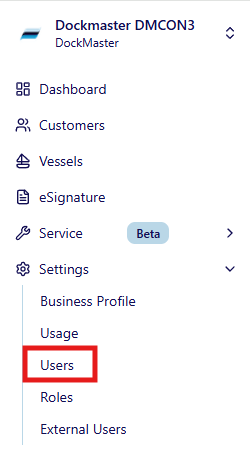
1. Navigate to users
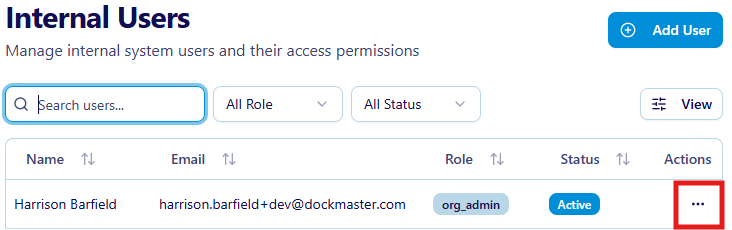
2. Click on the three dots
3. Select a Clerk
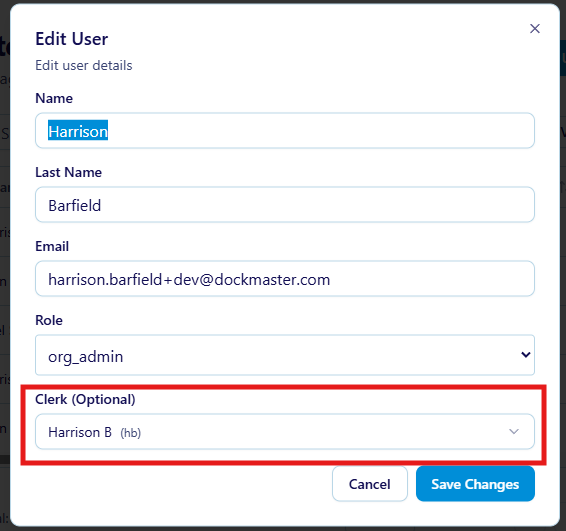
4. Save and enjoy DockMaster Web Service Module
A clerk is now assigned to this user. This user can now asccess DockMaster Web Service.