Configuring Roles in DockMaster Web
Roles are used in DockMaster Web to configure access to different programs as read and write access.
This is not used to control permissions in DockMaster Desktop. To control permissions in DockMaster Desktop please refer to this article on User Groups and Processes.
1. Navigate to Roles

2. Creating or Editing Roles
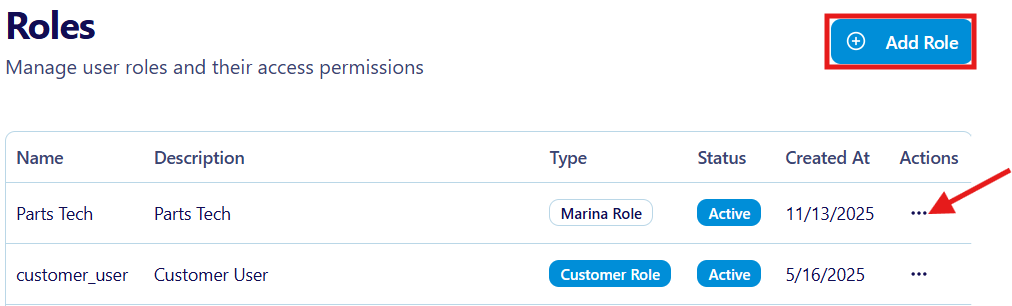
To edit an existing role click on the three dots on the right.
To create a new role select create.
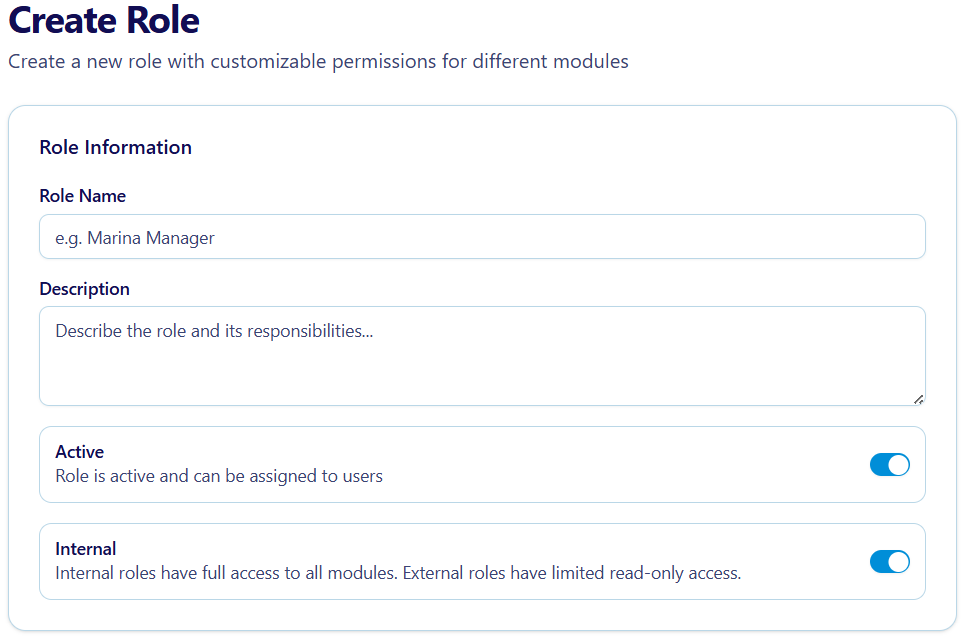
If creating a new role the role information will need to be entered. This consists of Name, Description, Active and Internal Statuses.
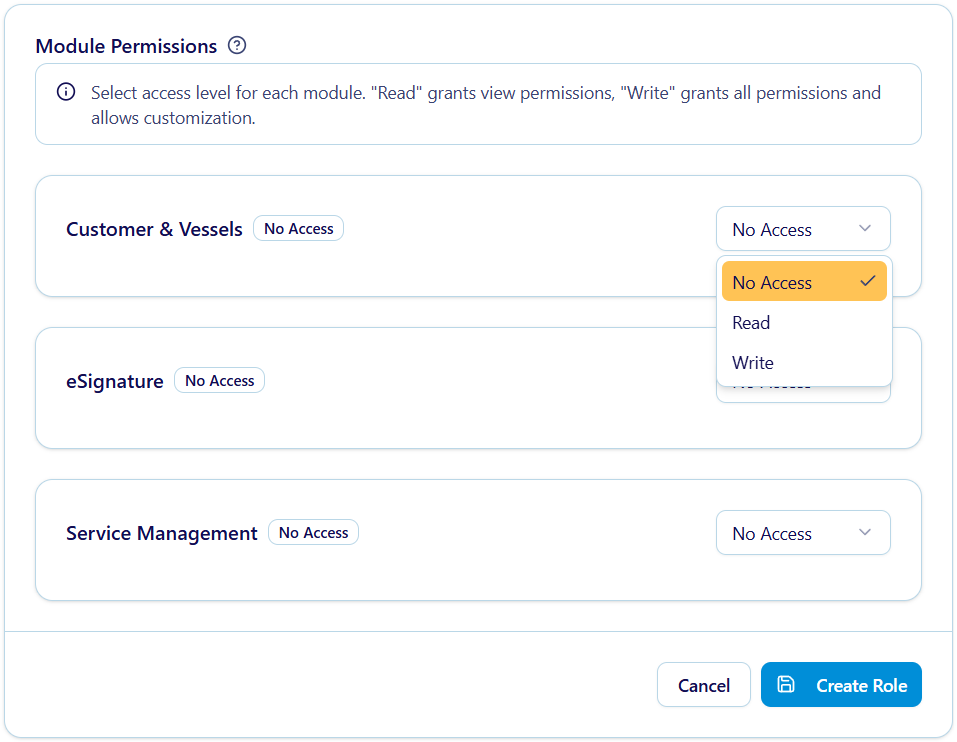
Edit module permissions select the drop down for the module to edit.
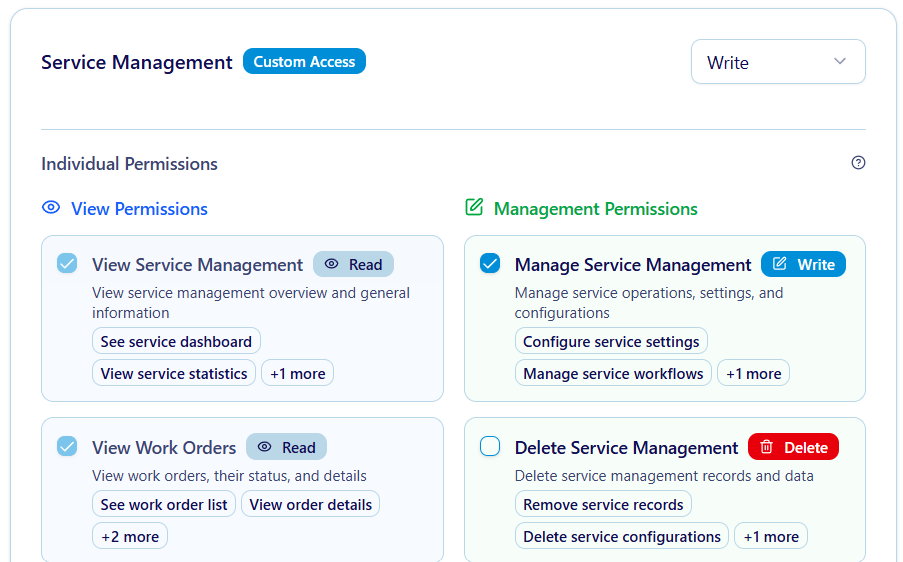
If write is selected check boxes are used to control specific actions. Checking a box will allow users with this role to have that permission.
3. Add Role to Users
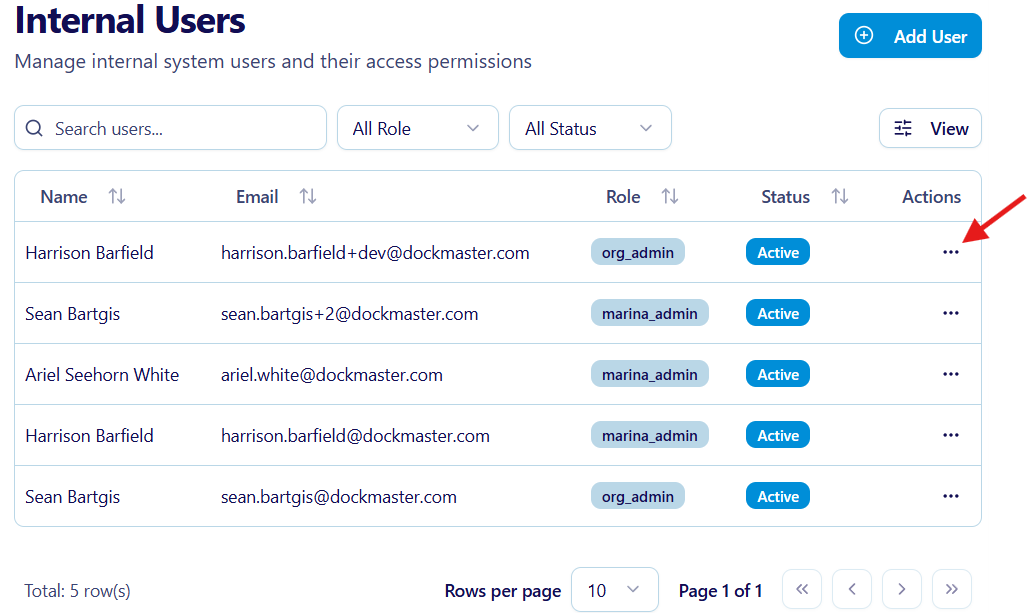
Navigate to Users in the Settings dropdown. Here click on the three dots to edit a specific user.
Click on the roles dropdown to select a role for that user.
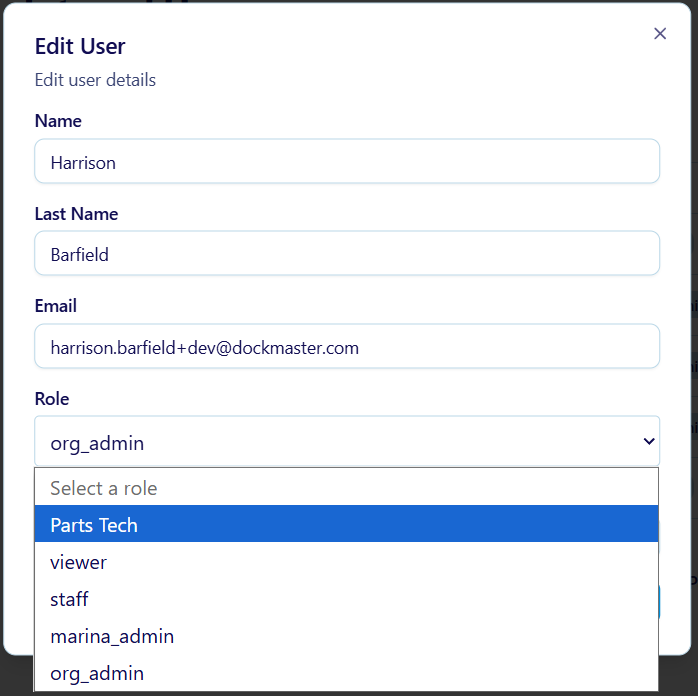
Once selected and saved that user will have all the permissions defined by the role associated to them.